Choose the decision, not just the ball.
A search for physics sports games on Android can bring up very different experiences. In one game you study a line before releasing a shot. In another you keep tapping while a ball bounces between moving players. Both use ball movement, but they ask different things of you.
Start with what you want to do: plan a shot, solve a route, or react in the moment. Then check whether you want a solo challenge, an opponent online, or a two-player game on one phone. Those choices are more useful than a broad label such as “sports game” or “tabletop game”.
We’re Zyntra, the developers of Z Ball: 1v1 Star Cluster UNC. This is our guide to choosing a format, with our own game as one example—not a ranking, an independent review or a promise that every game works the same way.
Pool, carrom and table ball: what changes?
These are useful starting categories, not interchangeable rulebooks. Check each Android game’s instructions for its controls, scoring, player modes and connection requirements.
| Format | Typical decision | What to check |
|---|---|---|
| Cue-based pool | Choose a cue-ball line and shot strength; consider the next position. | How aiming, power and any spin controls work in that title. |
| Carrom-style disc games | Plan a striker or disc shot across a board. | The mode’s pocketing and turn rules; a familiar board does not guarantee identical rules. |
| Sloped-table ball games | Judge a release towards scoring areas, with rebounds and other balls affecting the route. | The scoring zones, shot controls and how captured balls affect later turns. |
| Real-time physics sports | Time an input while the ball or players are moving. | Whether players act simultaneously and how two-player controls share the screen. |
For concrete control examples, Miniclip’s 8 Ball Pool mobile aiming instructions separate the aiming adjustment from the power bar. Its Carrom Pool page describes a multiplayer board-game format. These references explain the distinction; they are not claims that those games offer Z Ball’s modes.
“Tabletop” also includes board and card games whose main decisions have little to do with aiming. If you want shot placement rather than card hands or dice, add a qualifier such as ball physics, aiming or bank shots when looking for a game.
Aim, power and the position left behind.
In an aiming game, the interesting question is often bigger than “Can I hit that target?” A stronger shot may reach a distant area but leave the ball somewhere less useful. A rebound may open a route that a direct shot cannot take. Contact with another ball can change a plan you thought was clear.
Look for a Practice mode that lets you compare inputs. Predict the finish before you release, then check what happened. Change one thing at a time: the line, the power, or the intended wall contact. A game can have its own consistent rules without being a perfect simulation of a real table.
It also helps to separate the route from the score. A good-looking shot might land in a low-value area; a modest shot might leave a better position for the next turn. Z Ball’s scoring and direct-link guide explains those decisions for our digital rules.
One phone, two phones, or solo?
Pass-and-play means players take turns on a shared device. It suits a game where both people can see the position and think between shots. Simultaneous local play means both act at once, so check that the controls and screen layout suit your phone.
Same-device play is different from online multiplayer. In Z Ball, Couch Clash is an offline, turn-taking match on one phone. Online 1v1 connects separate devices over the internet through a public search or friend-room code. You can use Practice and A.I. Matches for supported offline solo play.
An online mode does not guarantee an instant opponent. Our community is still growing. Arranging a friend-room match or enabling optional match-search alerts can help you coordinate; neither reserves another player. See the online-match setup and notification guide before choosing your setup.
Try a shot, then compare local play.
Try one direct shot and one rebound, then compare the position you leave for the next turn. For a step-by-step exercise in our game, use the Z Ball Practice routine.
For a different style of local play, Wobble Kick’s publisher describes simultaneous controls on opposite halves of one phone: tap to kick and hold to jump. Sink Shot’s publisher describes turn-taking pass-and-play, an AI rival and a separate Practice mode, with no online multiplayer. Choose based on whether you want both players acting at once or time to plan between turns.
A table-ball game with its own rules.
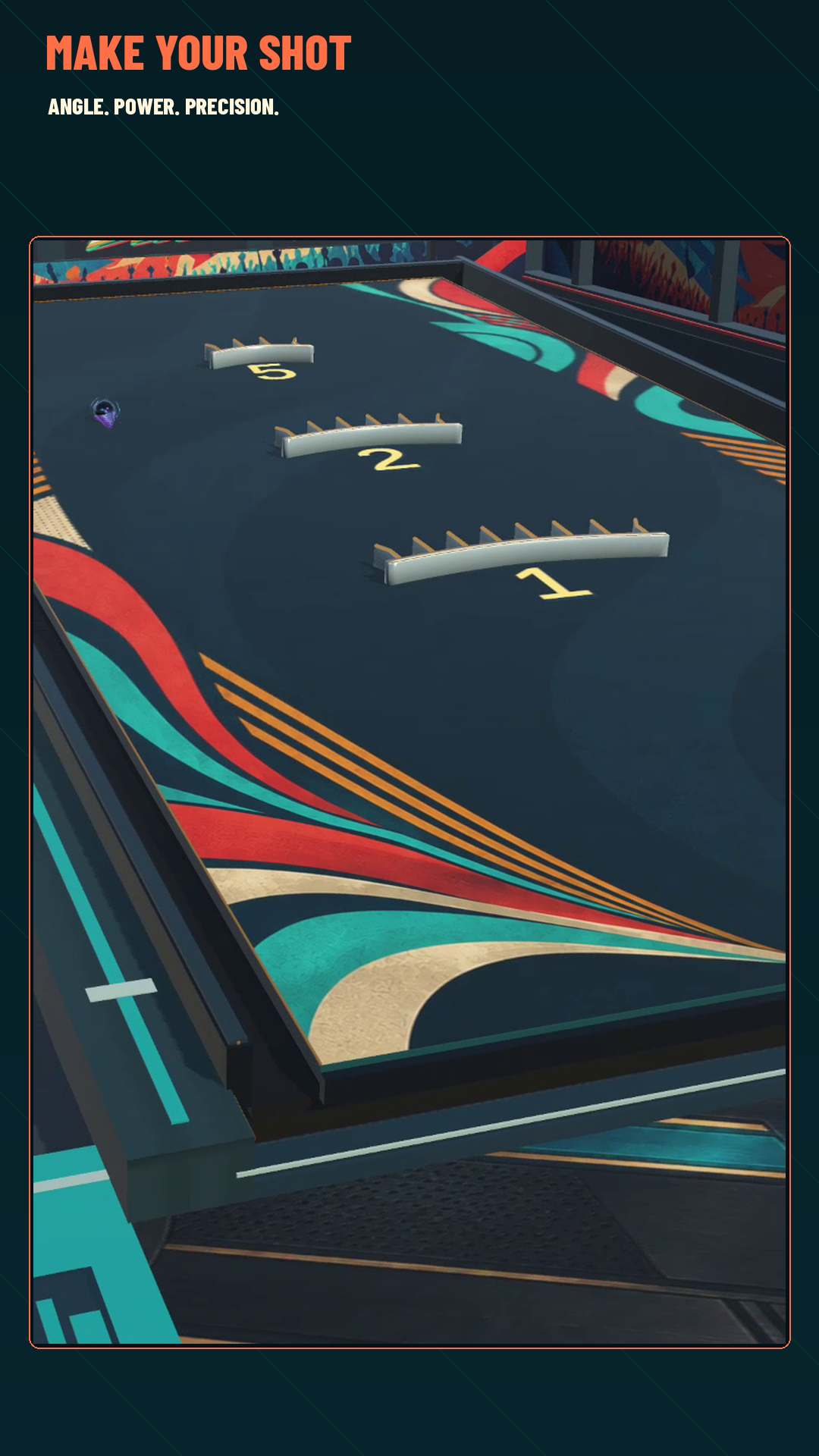
Z Ball: 1v1 Star Cluster UNC is Zyntra’s independent Android game inspired by the inclined-table format often found through Star Cluster Ball, UNC Ball, YoTyan and 星罗球 / Xing Luo Qiu videos. It is not an official or licensed app for those physical-sport brands, and its scoring, modes and progression are its own.
Choose it if you want to pull back, set angle and power, and think about rebounds and placement between turns. Start solo, share a phone in Couch Clash, or arrange online 1v1. For the actual gesture and mode choices, read our Android gameplay guide.
Free to download, with ads and optional in-app purchases/subscriptions. Google Play shows current regional and device availability.
Try Z Ball on Google Play ↗Sources and related reading.
Publisher references checked 8 November 2026. Controls and modes can change; use each game’s current instructions. No paid placement or endorsement is implied.
- Miniclip: 8 Ball Pool aiming controls.
- Miniclip: Carrom Pool overview.
- Single Origin Games: Wobble Kick illustrates one-button real-time physics soccer and shared-phone controls.
- MallowByte: Sink Shot describes puck pool, Practice and local pass-and-play; its publisher says online multiplayer is unavailable.
- Identify the physical sloped-table ball game if you are trying to name a video rather than choose an Android game.